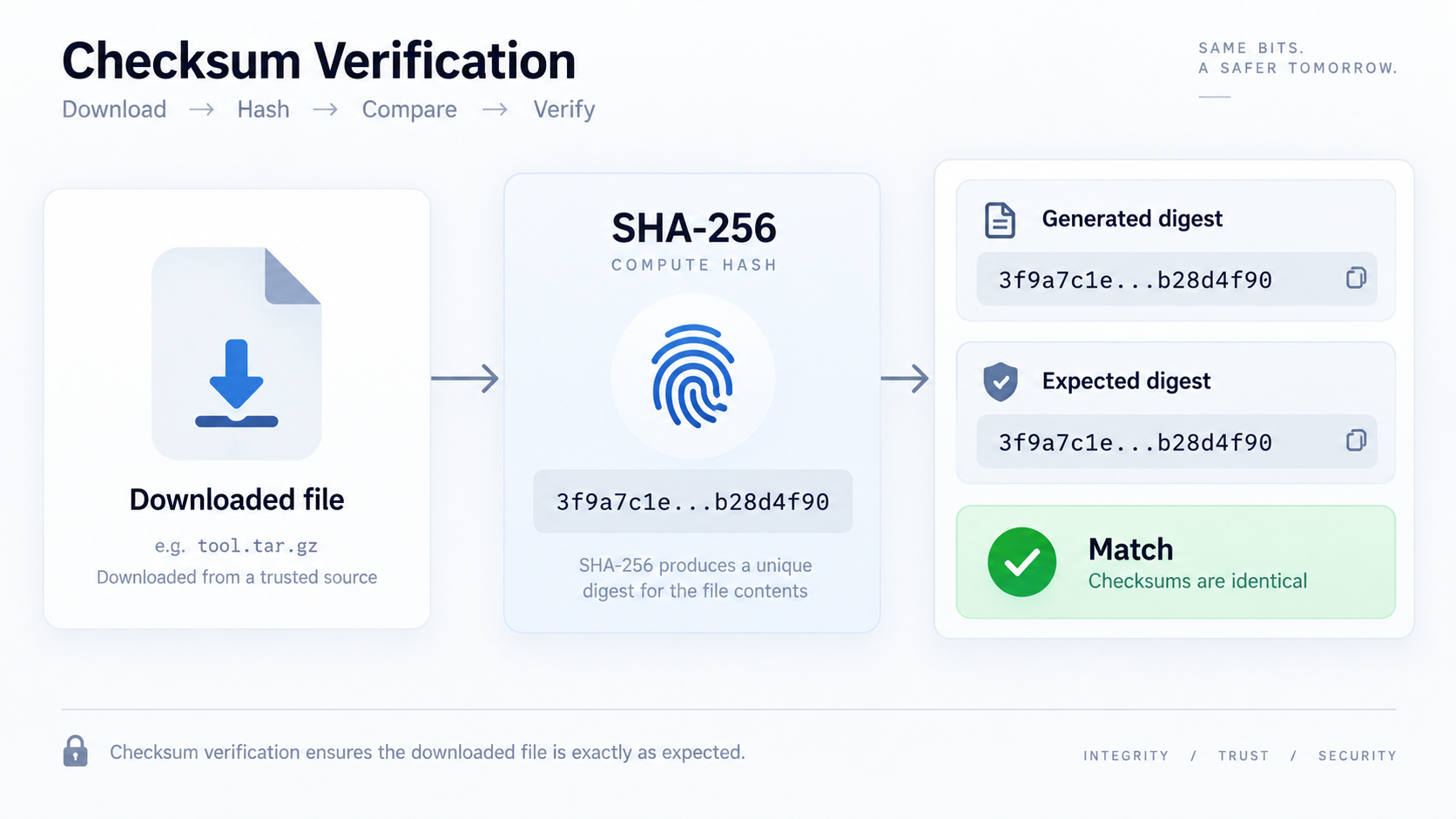
Step 1: obtain the expected digest
Use the checksum published by the software vendor, project, or other trusted source. If an attacker can replace both the file and the checksum on the same compromised channel, a matching digest alone cannot reveal that substitution.
Step 2: hash the file you actually downloaded
Compute SHA-256 over the exact file with File Checksum. Do not open and resave an archive, text file, or image first; any byte change produces a different cryptographic digest.
Step 3: compare exact values
Copy the expected and calculated digests into Hash Compare or compare them carefully. Hexadecimal letter case is usually not significant for the numeric digest, but every hex digit must otherwise match.
What a match tells you
A match strongly indicates that the local file bytes are the same bytes represented by the published SHA-256 value. It is excellent for detecting incomplete downloads, accidental corruption, mirror mismatch, and unintended modification.
What a match does not tell you
A checksum does not prove the software is safe, bug-free, or trustworthy. It also does not authenticate the publisher unless you trust how the expected checksum was delivered. Signed releases add an authentication layer when verified correctly.
Why SHA-256 instead of MD5
MD5 and SHA-1 have known cryptographic collision weaknesses. For modern integrity workflows where adversarial modification matters, use a currently accepted algorithm such as SHA-256 when the publisher provides it.
FAQ
Why is my checksum different after unzipping?
You are hashing different bytes. The checksum for an archive applies to the archive file unless the publisher provides separate hashes for extracted contents.
Can two filenames have the same checksum?
Yes, if their contents are byte-for-byte identical. Filenames are not part of a normal file-content hash unless explicitly included in the hashed data.
Practical next step
Compute the local digest with File Checksum, compare it with a trusted expected value, and treat the source of that expected value as part of the verification process.