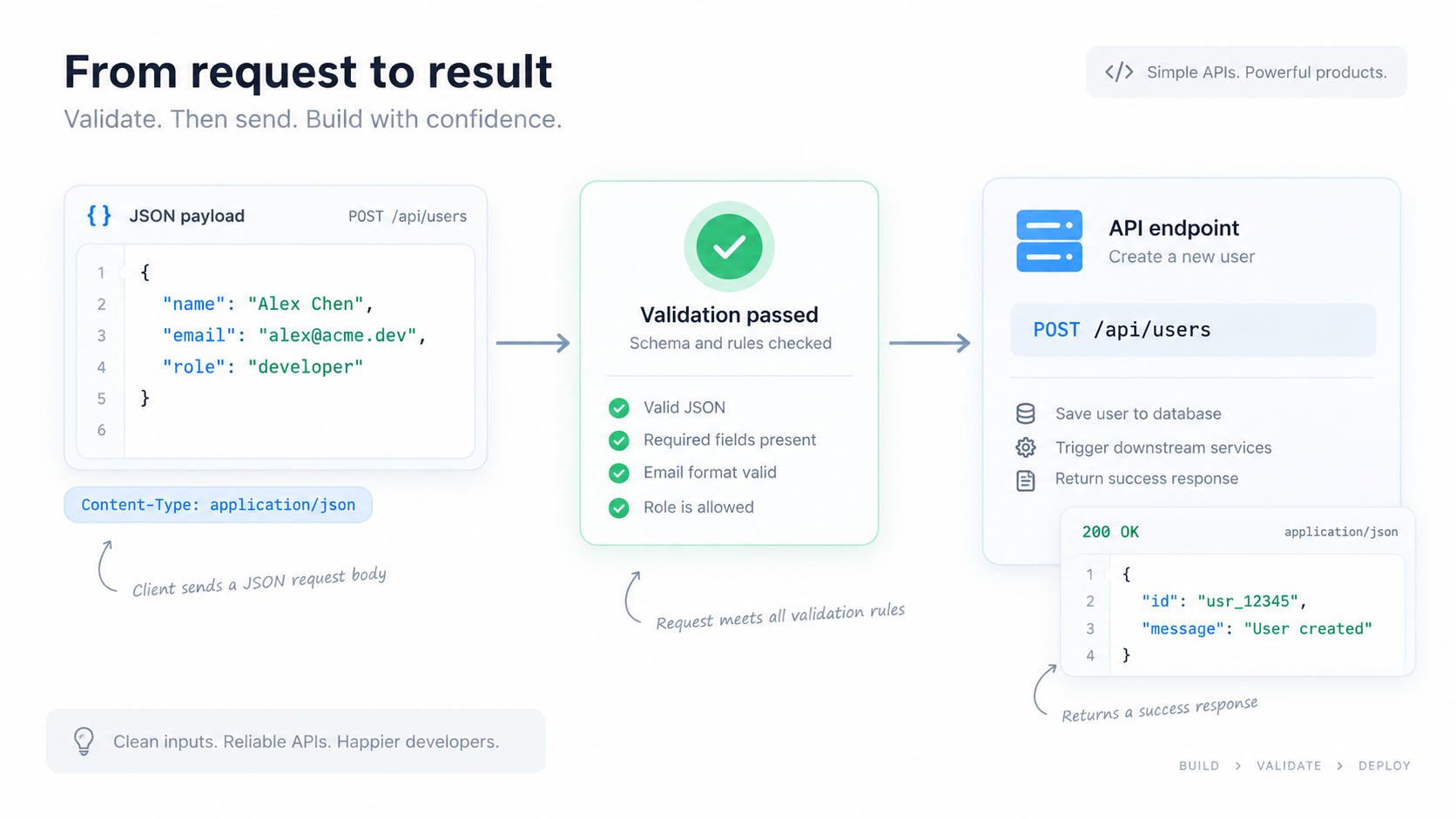
400 Bad Request or “invalid JSON” response is often avoidable. Before sending a request, validate the body locally and separate three different questions: Is it valid JSON? Is it the shape the API expects? Are the values acceptable? Only the first is pure JSON syntax.
Preflight check 1: parseable JSON
Run the request body through the JSON Validator. This catches missing commas, mismatched braces, invalid quoting, and other grammar errors before the network request. For large bodies, fix the first error and validate again rather than assuming every highlighted location is independent.
Preflight check 2: correct data types
APIs commonly distinguish among "42", 42, true, and "true". They may look similar in a log but are different JSON values. Review fields that represent IDs, prices, flags, dates, and nullable values. If the API schema says an array is required, a single object is not automatically equivalent.
Preflight check 3: required and unexpected fields
A syntactically valid body may still violate the endpoint contract. Compare it with the current API documentation or schema. Check required properties, allowed enum values, maximum lengths, and whether unknown fields are ignored or rejected.
Example: valid syntax, invalid contract
Suppose an endpoint expects:
{
  "email": "[email protected]",
  "subscribed": true
}
This is valid JSON too:
{
  "email": "[email protected]",
  "subscribed": "true"
}
But the second payload uses a string instead of a boolean. A JSON validator cannot know the API contract, so syntax validation should be followed by schema or documentation checks.
Check the HTTP layer as well
If the body is valid but the server still rejects it, inspect the request headers and method. For a JSON body, APIs commonly expect a JSON media type such as application/json. Also verify that query parameters are encoded correctly; the URL Encoder can help when a value contains reserved characters.
Make debugging output readable
After syntax validation, use the JSON Formatter to make nested request and response bodies easier to compare. Formatting is especially helpful when the server returns a machine-generated error object with nested field paths.
FAQ
Does valid JSON guarantee an API accepts it?
No. JSON validation checks grammar. API acceptance also depends on endpoint-specific fields, types, authorization, headers, and business rules.
Should I remove null fields?
Only if the API contract says they are optional or should be omitted. null and “property not present” can have different meanings.
Practical next step
Validate locally first, then inspect the endpoint contract and HTTP details. That sequence removes the cheapest failures before you spend time debugging the network or server.