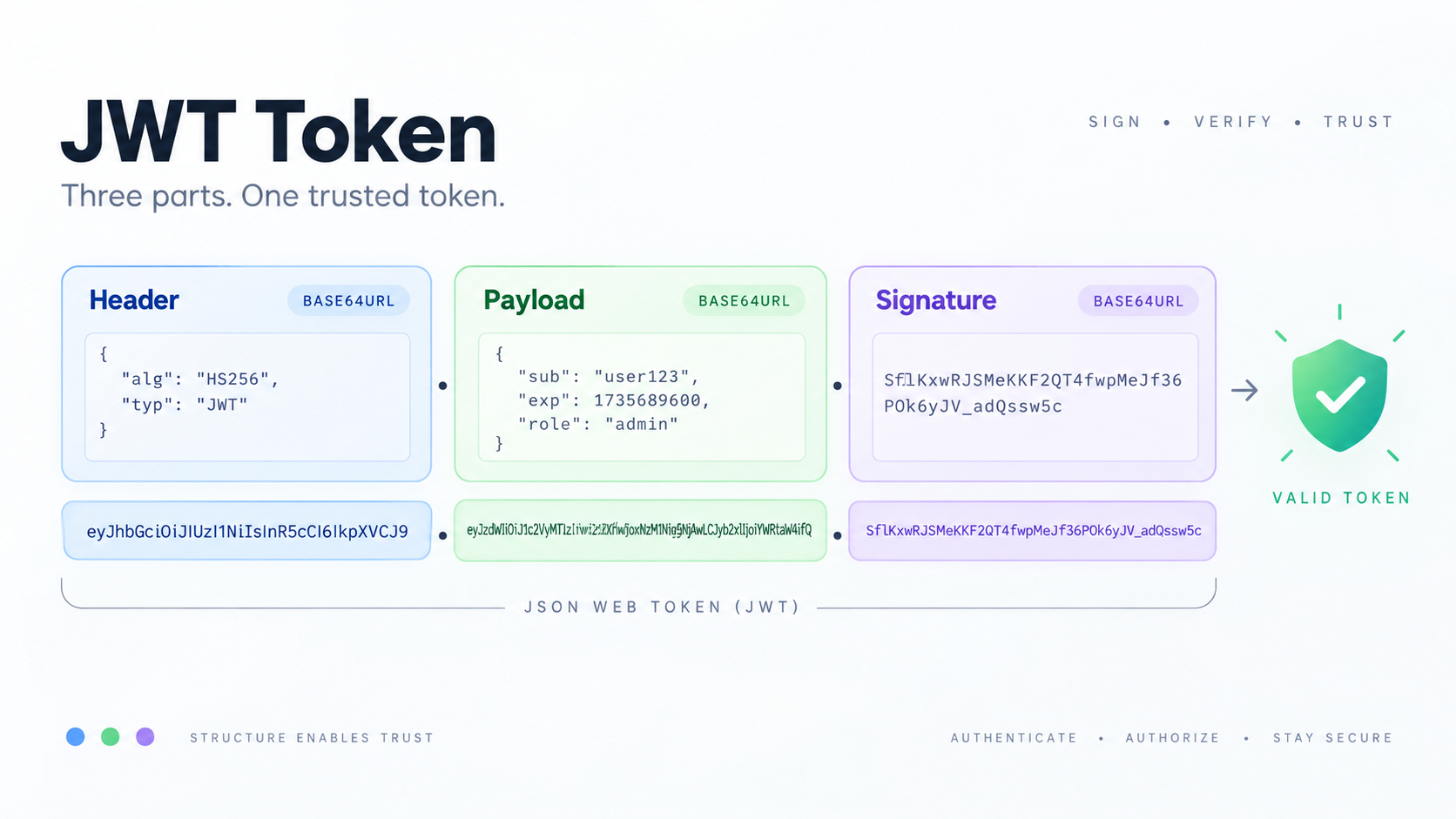
The three parts
header.payload.signature
The header identifies details such as the token type and signing algorithm. The payload contains claims such as subject, issuer, audience, and timestamps. The signature (for a signed JWT/JWS) lets a verifier detect tampering when it validates the signature with the correct key and approved algorithm.
Decoding is only inspection
The JWT Decoder can help you inspect header and payload values. That is useful for debugging an exp timestamp, checking an aud value, or seeing what claims were issued. But a decoder does not prove the token came from the expected issuer. Treat decoded claims as untrusted until the application verifies the signature and required claims.
Important registered claims
Common claims include:
iss— issuer;sub— subject;aud— intended audience;exp— expiration time;nbf— not-before time;iat— issued-at time;jti— token identifier.
Time claims are represented numerically. Use Timestamp Converter when debugging human-readable times.
Verification rules belong in the application
RFC 8725 recommends that libraries restrict accepted algorithms rather than blindly trusting the token header. A secure verifier also checks application-specific requirements such as issuer, audience, token type, and time validity. The exact checklist depends on the protocol using JWTs.
Do not put secrets in readable claims
A signed JWT is not automatically encrypted. Payload data may be visible to anyone who obtains the token. Avoid placing passwords, private keys, or unnecessary sensitive information in ordinary signed JWT claims.
A safe debugging workflow
- Copy only a token you are authorized to inspect.
- Decode the header and payload locally.
- Check timestamps and claim names for obvious configuration mistakes.
- In the actual application, use a maintained JWT library to verify signatures and required claims.
- Never “fix” a production token by editing its payload; changing signed content invalidates the signature.
FAQ
Can I trust a JWT because it decodes successfully?
No. Successful decoding only means the segments were parseable. Trust requires cryptographic verification plus claim validation.
Is a JWT always signed?
JWT is a claims format used with JOSE structures. In common authentication deployments tokens are signed, and JWTs can also be encrypted. Your application must know which form the protocol requires.
Practical next step
Use JWT Decoder for inspection and debugging, then verify tokens in application code with the issuer’s documented keys and rules.