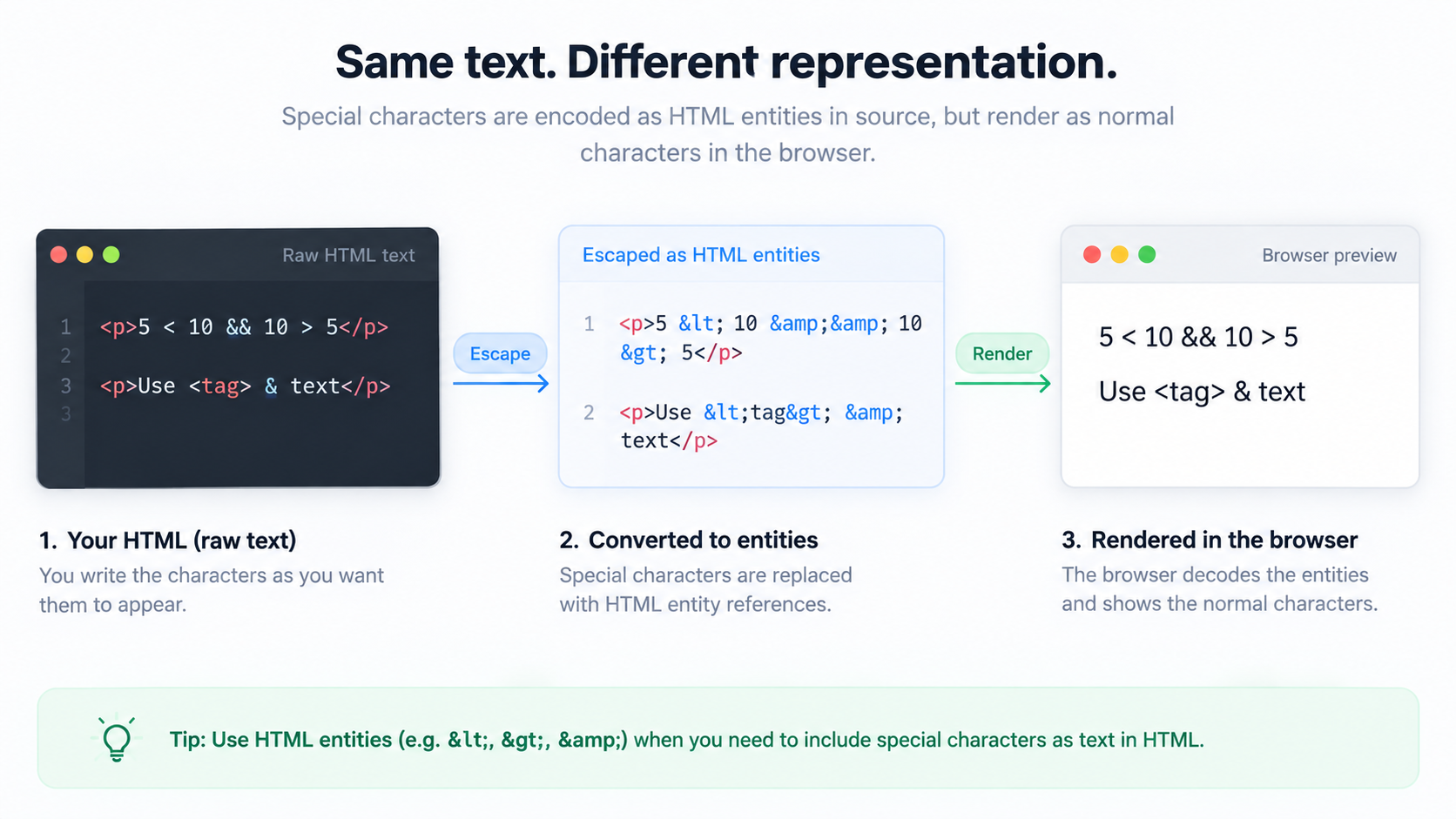
<, >, &, and quotes as part of its markup syntax. When you want some of those characters to appear as text rather than markup, you use a character reference such as < or &. The important idea is not to replace every unusual character—it is to escape the characters that are significant in the current HTML context.
The common references
Typical examples are:
| Character | Reference |
|---|---|
& |
& |
< |
< |
> |
> |
" |
" |
| non-breaking space | |
Named references are readable, while numeric references such as © or hexadecimal forms can represent characters by code point.
Why & deserves attention
An ampersand starts a character reference. If ordinary text contains an ampersand that could be interpreted as one, & is the unambiguous representation. This is especially common in URLs placed inside HTML attributes, where query-string ampersands and HTML syntax meet.
Escaping text is different from sanitizing HTML
Replacing < with < is appropriate when untrusted content is meant to be plain text. If you intentionally allow users to submit HTML, simple entity conversion is not a full sanitizer. Safe rich-text handling needs an allowlist-based HTML sanitization strategy appropriate to the application.
Context matters
Text between tags, quoted attribute values, JavaScript embedded in HTML, CSS, and URLs have different parsing rules. Do not assume one “escape HTML” operation makes arbitrary data safe in every context. Prefer framework APIs that insert text as text rather than concatenating untrusted strings into markup.
Use the tool as a visibility check
Paste a short sample into HTML Entities to see the encoded and decoded forms. This is handy when debugging content that displays & literally, or when a CMS has encoded text twice and < unexpectedly appears on the page.
FAQ
Do I need entities for every non-ASCII character?
Usually not in modern UTF-8 HTML. Unicode text can be written directly when the document encoding is correct. Character references remain useful for syntax-sensitive or invisible characters.
Why do I sometimes see &amp;?
That is a classic sign of double-encoding: an existing & was treated as raw text and its leading ampersand was encoded again.
Practical next step
Use HTML Entities to inspect transformations, but keep the bigger rule in mind: choose escaping based on where the data will be inserted.