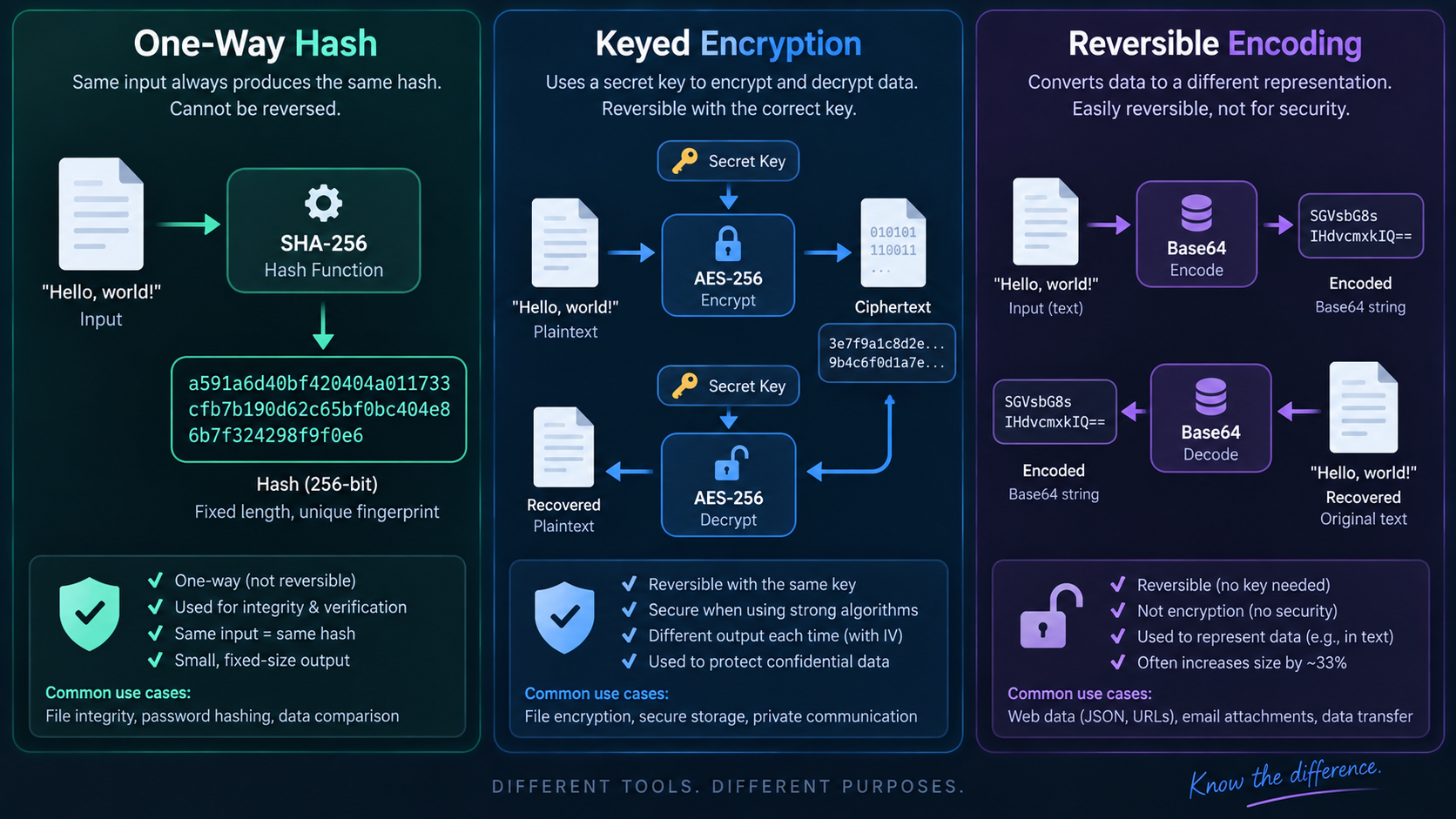
Hashing: a one-way fingerprint
A cryptographic hash function maps arbitrary input to a fixed-size digest. Good cryptographic hashes are designed so that finding an input for a chosen digest or finding collisions is computationally difficult. Use Hash Generator to see how even a tiny input change produces a very different digest.
Encryption: secrecy with a key
Encryption is intended to protect confidentiality. Authorized parties can decrypt ciphertext using the required key or key material. If you need to recover the original secret later, hashing is not the right primitive; use a well-reviewed encryption system appropriate to your platform.
Encoding: representation
Encoding changes how data is represented so another system can carry or interpret it. Base64 is reversible without a secret key. URL percent-encoding makes reserved bytes representable in URL components. Encoding is not a confidentiality control.
Checksums and integrity
If you publish a SHA-256 digest next to a download, users can compute the file’s hash and compare it with the expected value. This detects accidental corruption and, when the expected digest is obtained through a trusted channel, can help verify integrity. Use File Checksum for files and Text Checksum for exact text.
Passwords need a different kind of hashing
Do not store passwords by applying SHA-256 once. Password verification should use a dedicated password-hashing function with salts and a tunable cost, such as Argon2id where supported. OWASP recommends modern slow/memory-hard password hashing and notes that fast hashes are unsuitable for password storage.
Choose by the question
Ask: Do I need to recover the original? If yes and secrecy is required, think encryption. Do I need a fingerprint to compare? Think hashing. Do I only need a transport-safe representation? Think encoding. A tool can perform a transformation, but the security property comes from choosing the right primitive and using it correctly.
FAQ
Can a SHA-256 hash be decrypted?
No. Hashing is not encryption and has no decryption key. Attackers can still guess candidate inputs and hash them, which is why low-entropy secrets such as passwords need dedicated password-hashing schemes.
Is MD5 okay for file checksums?
MD5 can detect many accidental changes, but it is cryptographically broken for collision resistance. Prefer SHA-256 or another currently accepted cryptographic hash when integrity or adversarial tampering matters.
Practical next step
Use Hash Generator for fingerprints and learning, then choose dedicated tools for file checksums, text checksums, or password handling when the use case is more specific.