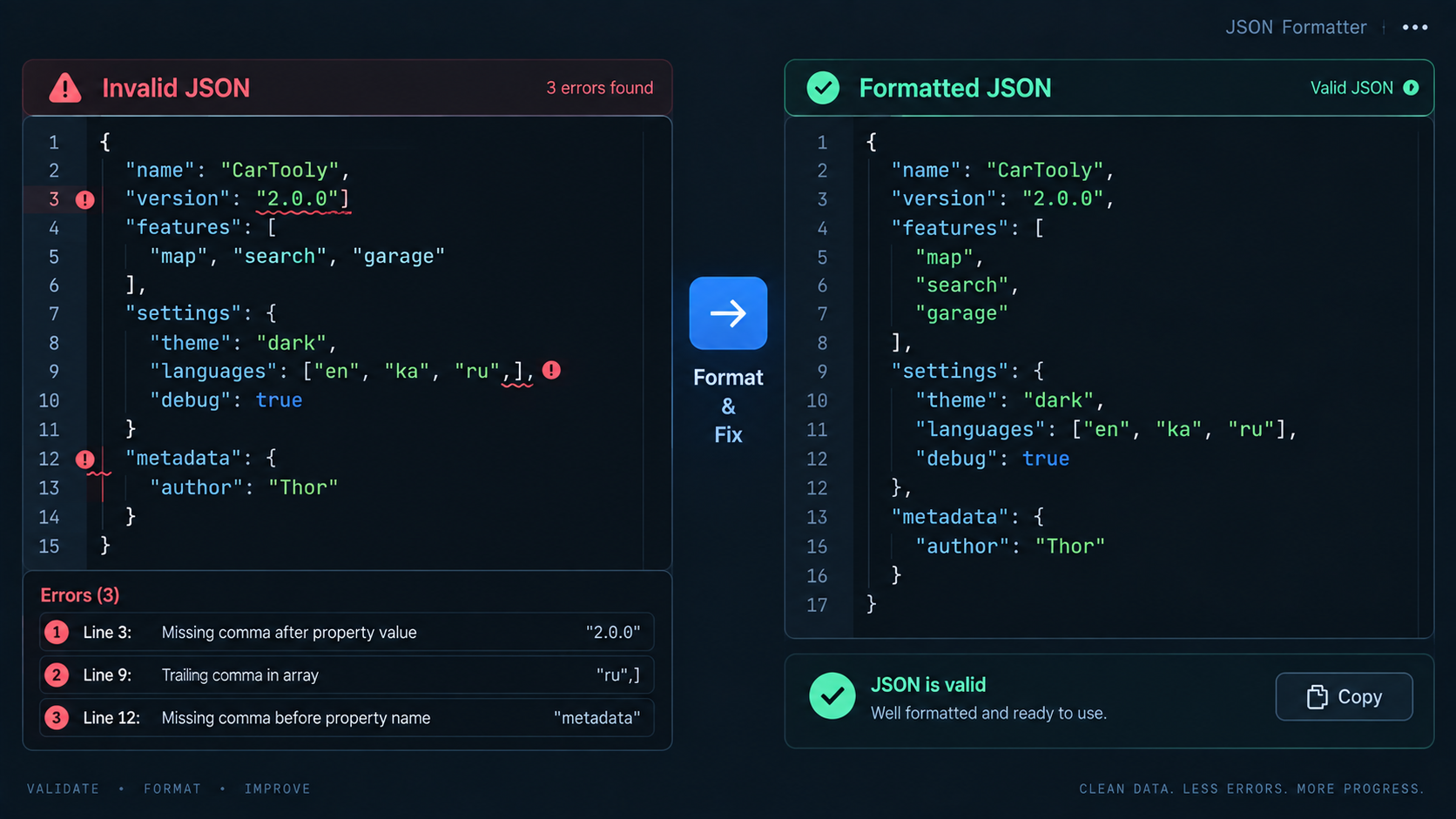
Start with validation, then format
Paste the raw payload into the JSON Validator. A validator answers the first question: can a standards-compliant JSON parser read this at all? Once it is valid, run it through the JSON Formatter to add indentation and line breaks. Formatting does not repair semantics, but it makes mismatched nesting, duplicated-looking objects, and unexpected arrays much easier to see.
Five syntax errors that break JSON
1. Trailing commas
JSON does not allow a comma after the final member of an object or final item of an array.
{
  "name": "Ada",
  "active": true,
}
Remove the comma after true.
2. Single quotes
Property names and JSON strings use double quotes. {'name':'Ada'} may look familiar from some programming languages, but it is not valid JSON.
3. Unquoted property names
{name: "Ada"} is a JavaScript object literal style, not JSON. Write {"name": "Ada"}.
4. Broken escaping
A quote inside a string must be escaped, for example "He said \"hello\"". Backslashes in paths also need care.
5. Missing commas or closing delimiters
Adjacent properties need commas, and every { or [ needs a matching } or ]. Deeply nested one-line JSON makes these errors hard to see, which is why formatting is useful after the parser accepts the input.
Valid JSON can still be wrong
A payload can parse successfully and still fail your application. A field may be a string when the API expects a number, an array may be empty, or a required property may be missing. Validation proves syntax, not business rules. After formatting, compare the structure with the API schema, documentation, or a known-good example.
Be careful with numbers, null, and booleans
JSON values include strings, numbers, objects, arrays, true, false, and null. The words true, false, and null are lowercase and are not quoted. Quoting them changes their type: "false" is a non-empty string, not the boolean value false.
A reliable debugging workflow
- Keep a copy of the original payload.
- Validate before manually editing large files.
- Fix the first reported syntax error, then validate again; later errors may be consequences of the first.
- Format the valid result.
- Compare the formatted structure with the expected schema.
- If you need tabular output, convert only after validation with JSON to CSV.
FAQ
Does formatting change JSON values?
A formatter should only change insignificant whitespace and presentation. It should not alter keys, strings, numbers, booleans, or array order.
Why does JSON from JavaScript sometimes fail validation?
JavaScript object literal syntax allows features JSON does not, such as comments, single-quoted strings, and in some contexts trailing commas. Serialize data with JSON.stringify() when you need JSON.
Practical next step
Use the JSON Formatter after the payload validates. The combination of a strict parser and readable indentation usually turns a vague “invalid JSON” error into a small, local fix.