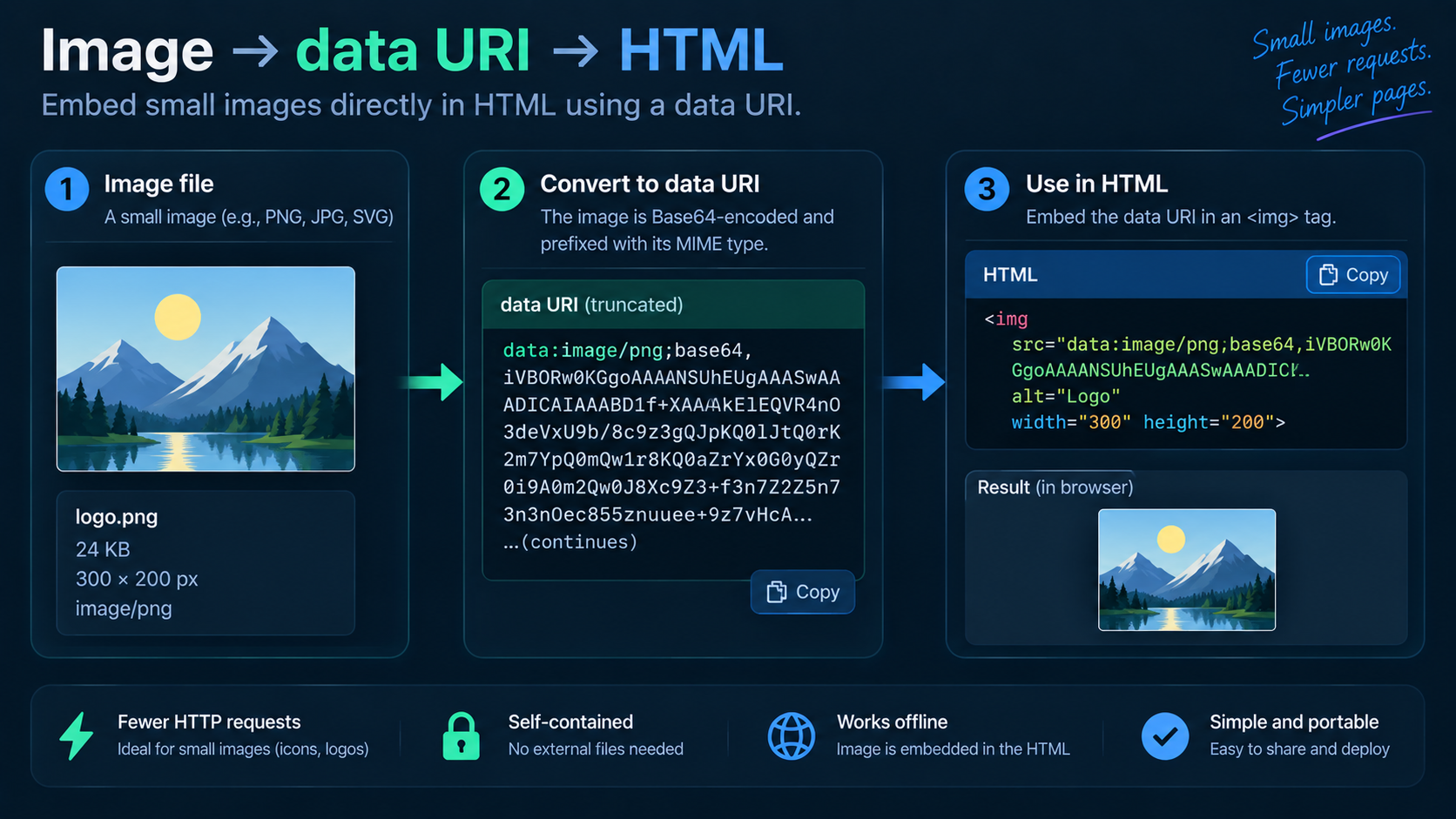
data: URL embeds the resource itself inside the URL rather than pointing to a separate file. For binary images, the data is commonly Base64-encoded and prefixed with a media type, for example data:image/png;base64,.... MDN documents this general structure for data URLs.
The anatomy of an image data URI
The scheme starts with data:. Next comes a media type such as image/png or image/svg+xml. ;base64 indicates that the following data is Base64-encoded. A comma separates the metadata from the actual payload.
When inline images are convenient
Small self-contained assets can be useful in generated HTML, email-like documents, prototypes, or a single file that must carry its own icon. Image to Data URI handles the encoding and prefix so you do not have to assemble it by hand.
Why not embed every image?
Base64 increases the size of binary data, and a large inline asset inflates the HTML or CSS containing it. Separate image files can also be cached, optimized, replaced, and delivered independently. For normal website photos and large graphics, regular URLs are usually easier to manage.
Use the correct media type
A mislabeled payload can fail to render or be interpreted incorrectly. Keep the actual file format and declared MIME type aligned.
Data URLs are not “encrypted images”
The contents are embedded and typically easy to decode. Anyone who can read the document can recover the image. Do not use a data URI to hide sensitive imagery.
Test the reverse path
After creating the URI, decode a sample with Data URI to Image and verify the expected image appears. If the URI fails, check the prefix, comma separator, Base64 data, and whether whitespace was introduced during copy/paste.
FAQ
Can data URIs be used in CSS?
Yes, in properties that accept URLs, subject to browser and context behavior. Large inline assets still carry maintainability and size tradeoffs.
Is Base64 mandatory in a data URL?
No. Data URLs can contain percent-encoded textual data too. Base64 is common for binary image bytes.
Practical next step
Use Image to Data URI for small assets when self-containment is genuinely useful, not as a blanket image-delivery strategy.