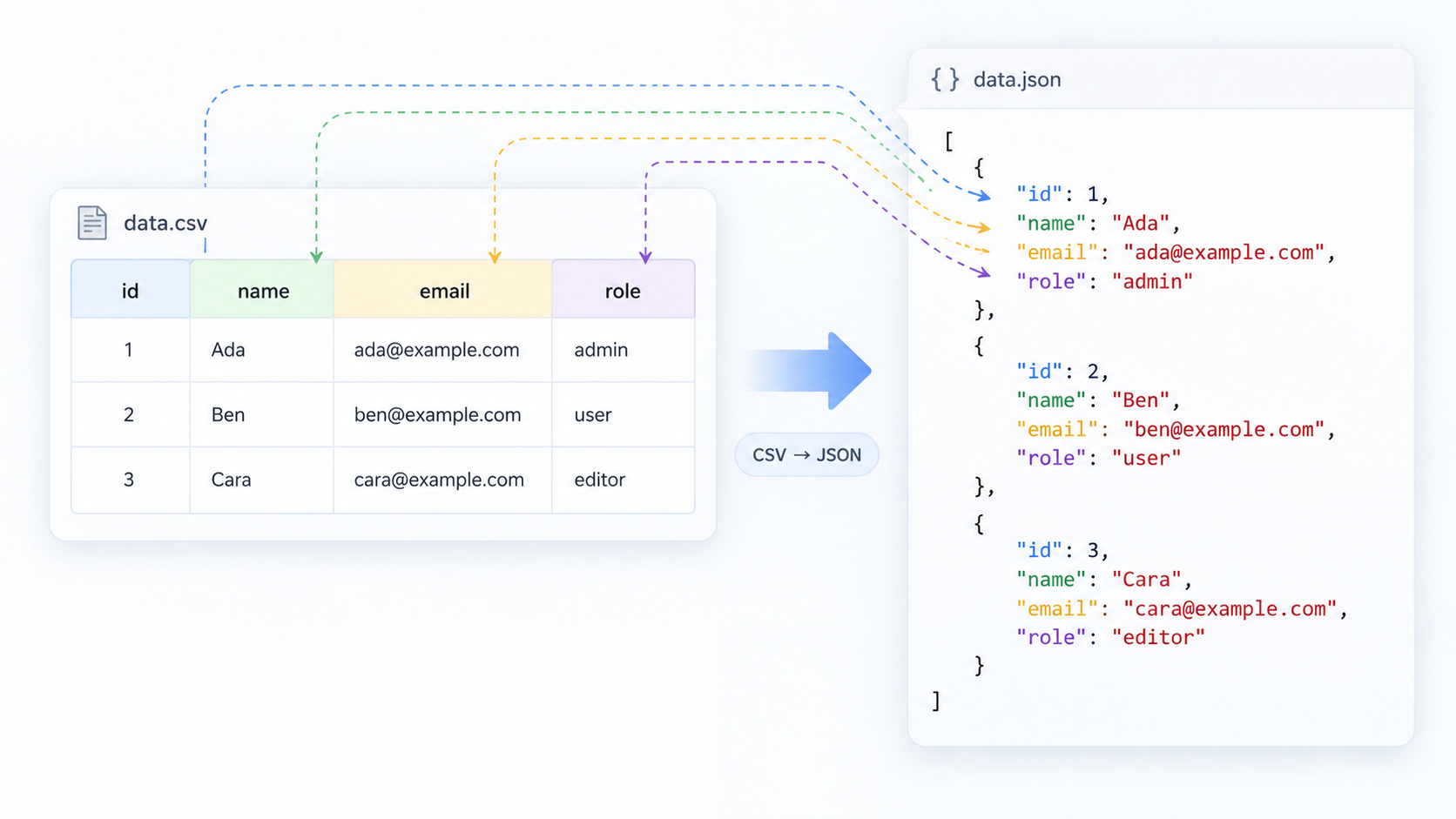
Treat the header row as a schema draft
Most conversions use the first CSV row as object keys. Make headers unique, stable, and machine-friendly before converting. First Name can work, but first_name may be easier for downstream code. Duplicate headers such as two columns both named status are ambiguous and should be renamed.
Do not guess types casually
A value like 00123 might be a ZIP code, product code, or account reference rather than the number 123. Dates are even more dangerous because spreadsheets may rewrite them. Unless you have a schema, preserve uncertain values as strings and perform explicit type conversion later.
Understand empty values
An empty CSV cell could mean empty string, missing data, or null. Those are not the same in JSON. Decide the rule that matches your destination. For an update API, for example, omitting a property may mean “leave unchanged,” while null may mean “clear the value.”
Example conversion
CSV:
id,name,active
001,Ana,true
002,Bo,false
A conservative JSON conversion is:
[
  {"id": "001", "name": "Ana", "active": "true"},
  {"id": "002", "name": "Bo", "active": "false"}
]
If your target schema explicitly requires booleans, convert the active strings after confirming the rule. Keeping id as text preserves the leading zeros.
Watch for quoted commas and line breaks
A legitimate CSV field may contain a comma or newline when it is quoted correctly. Splitting lines or fields with a simple string operation can corrupt such files. Use a CSV-aware parser or CSV to JSON rather than hand-splitting on commas.
Validate the result before sending it
After conversion, run a representative output sample through JSON Validator and inspect it with JSON Formatter. For API imports, compare keys and types with the endpoint schema before sending thousands of records.
FAQ
Should every CSV row become one JSON object?
Usually, but not always. A hierarchical destination may require grouping rows by an ID or constructing nested objects after the initial conversion.
Can I safely convert Excel exports?
Yes, but inspect the CSV first. Spreadsheet software may have already altered dates, long numbers, leading zeros, or scientific notation before export.
Practical next step
Use CSV to JSON for the mechanical conversion, then treat the output as structured data that still deserves schema checks.