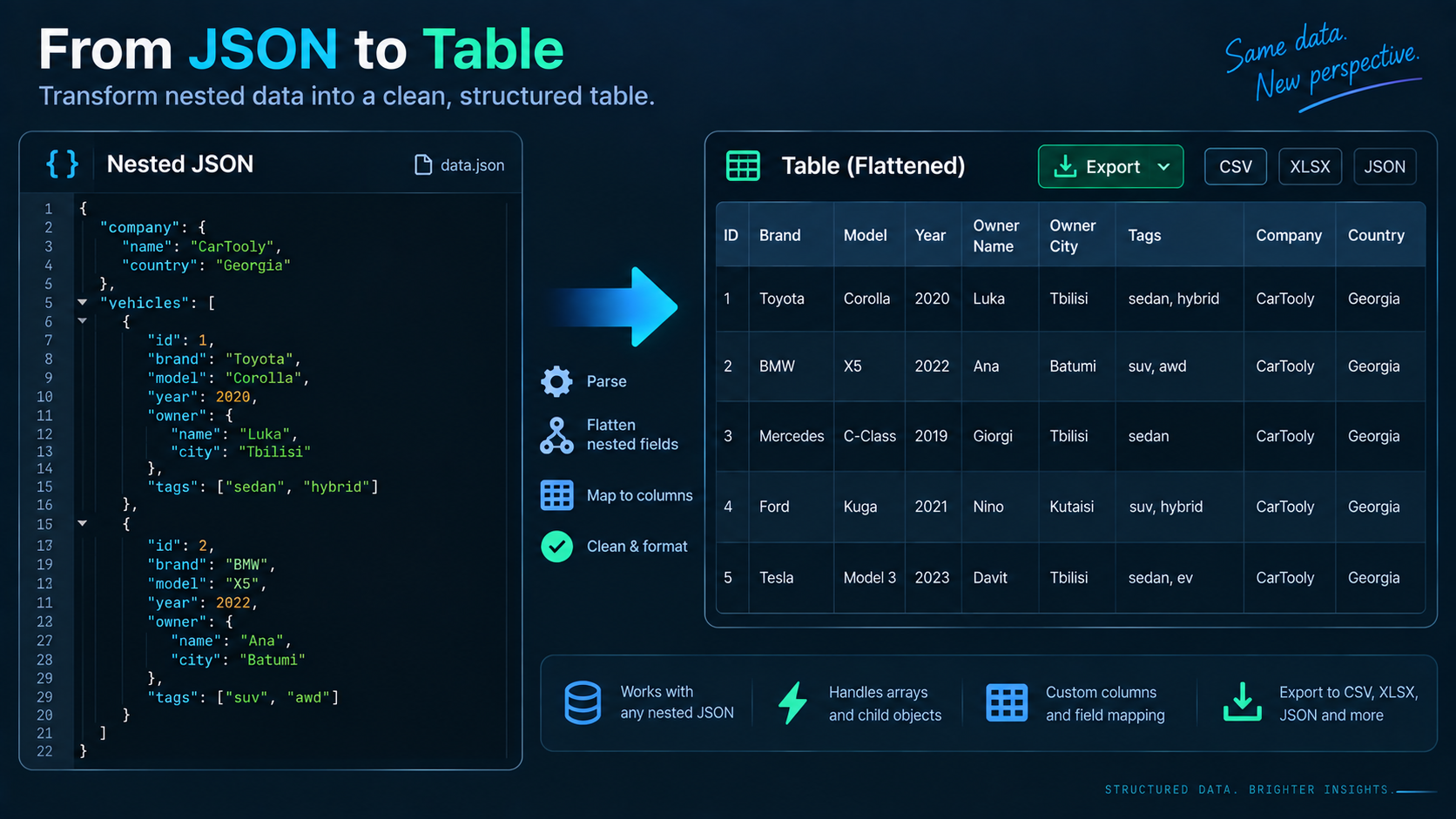
Choose the row unit first
If your JSON contains an array of similarly shaped records, that array is usually the natural row set. For example, an orders array can become one CSV row per order. If each order contains an items array, decide whether you want one row per order or one row per item. That choice changes the meaning of the output.
Flatten nested objects deliberately
A nested object such as customer.name and customer.city can be flattened into columns with dotted names, underscores, or another convention. Consistency matters more than the separator. Keep the path visible enough that billing.city cannot be confused with shipping.city.
Arrays are the hard part
There is no universal CSV representation for arrays. Common strategies are:
- join primitive values into one cell, such as
red|blue; - serialize the array as JSON inside a quoted CSV field;
- create multiple rows, one per array item;
- export related arrays to separate CSV files linked by an ID.
For data that will be re-imported later, a serialized JSON cell or separate related table is often safer than a human-friendly joined string.
Example transformation
Input:
[
  {"id": 101, "customer": {"name": "Mina", "country": "GE"}, "total": 29.5},
  {"id": 102, "customer": {"name": "Leo", "country": "DE"}, "total": 42}
]
A sensible CSV shape is:
id,customer.name,customer.country,total
101,Mina,GE,29.5
102,Leo,DE,42
The column names preserve the nested path without inventing extra tables.
Protect commas, quotes, and newlines
CSV fields containing commas, double quotes, or line breaks generally need quoting. Inside a quoted field, double quotes are escaped according to CSV conventions. A converter should handle this automatically, but it is worth checking when descriptions, addresses, or user-entered text are involved.
Use a reversible workflow when possible
Start by validating and formatting the source with JSON Validator and JSON Formatter. Then convert a small sample with JSON to CSV and inspect the headers and array handling before processing the full dataset. If you expect to convert back later, test the round trip with CSV to JSON on representative rows.
FAQ
Can CSV preserve JSON types exactly?
Not reliably. CSV cells are text, and applications may infer numbers, dates, or booleans differently. If exact type fidelity matters, keep the original JSON or maintain an explicit schema.
What about duplicate nested keys?
Use path-based column names so values from different branches remain distinguishable.
Practical next step
The best conversion is the one whose row model is obvious to the next person using the CSV. Decide that model before you click convert.